Protege 5.5 setup for Mondo Editors
(This was adopted from the Gene Ontology editors guide)
Operating System
These instructions are for Mac OS
Protege version
As of August 2019, Mondo editors are using Protege version 5.5.0
Download and install Protege
- Get Protege from protege.stanford.edu
- Unzip and move the Protege app to your Applications folder.
- See Install_Protege5_Mac for more instructions and troubleshooting common problems.
Fix memory settings
- Protege needs at least 4G of RAM to cope with Mondo, ideally use 12G or 16G if your machine can handle it.
- If running from Protege.app on a mac, open the /Applications/Protege-5.5.0/Protégé.app/Contents/info.plist file
- Below the line:
<string>-Xss16M</string> - Insert another line:
<string>-Xmx12G</string>
Instructions for new Protege users
Obtaining your ID range
- Curators and projects are assigned specific Mondo term ID ranges by senior editors.
- These ID ranges are stored in the file: mondo-idranges.owl
- NOTE: You should only use IDs within your range.
Setting ID range
- Once you have your assigned ID range, you need to configure Protege so that your ID range is recorded in the Preferences menu. Protege does not read the mondo-idranges.owl file.
- In the Protege menu, select Preferences.
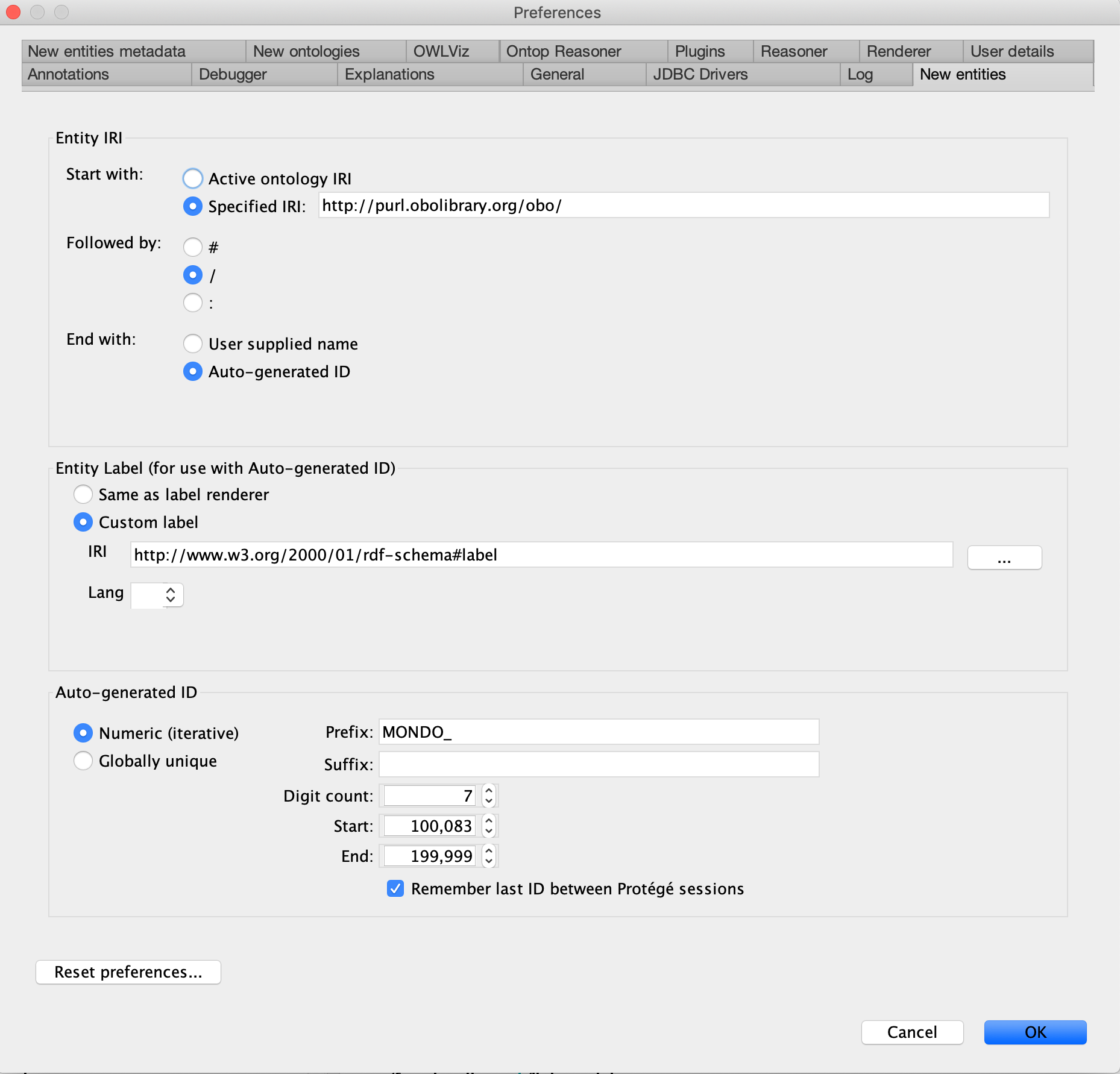
In the resulting pop-up window, click on the
New Entitiestab and set the values as described below. - In the
Entity IRIsection: Start with: Specified IRI: http://purl.obolibrary.org/oboFollowed by/End with: SelectAuto-generated ID- In the Entity Label section:
- Select
Custom label IRIhttp://www.w3.org/2000/01/rdf-schema#label- In the Auto-generated ID section:
- Select
Numeric (iterative) - Prefix: "MONDO_"
- Suffix: leave this blank
- Digit Count: "7"
- Start and End: see mondo-idranges.owl. Only paste the number after the MONDO: prefix. Also, note that when you paste in your MONDO ID range, the number will automatically be converted to a standard number, e.g. pasting 0110001 will be converted to 110,001.)
- Check the
Remember last ID between Protege sessionsbox (Note: You want the ID to be remembered to prevent clashes when working in parallel on branches.)
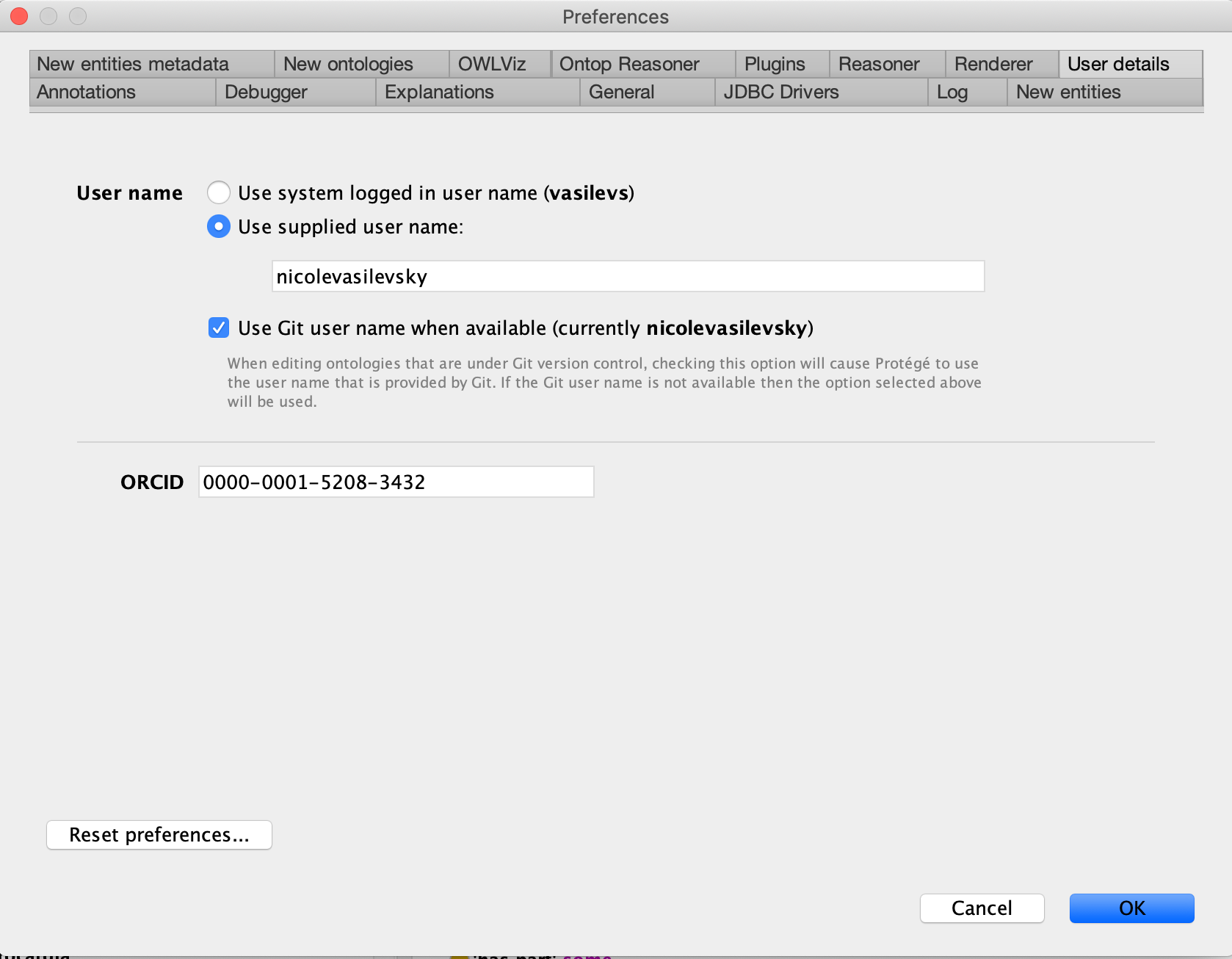
User details
User nameClcikUse supplied user name:add your name (ie nicolevasilevsky)- Check
Use Git user name when available - Add
ORCID. Add the ID number only, do not include https://, ie 0000-0001-5208-3432
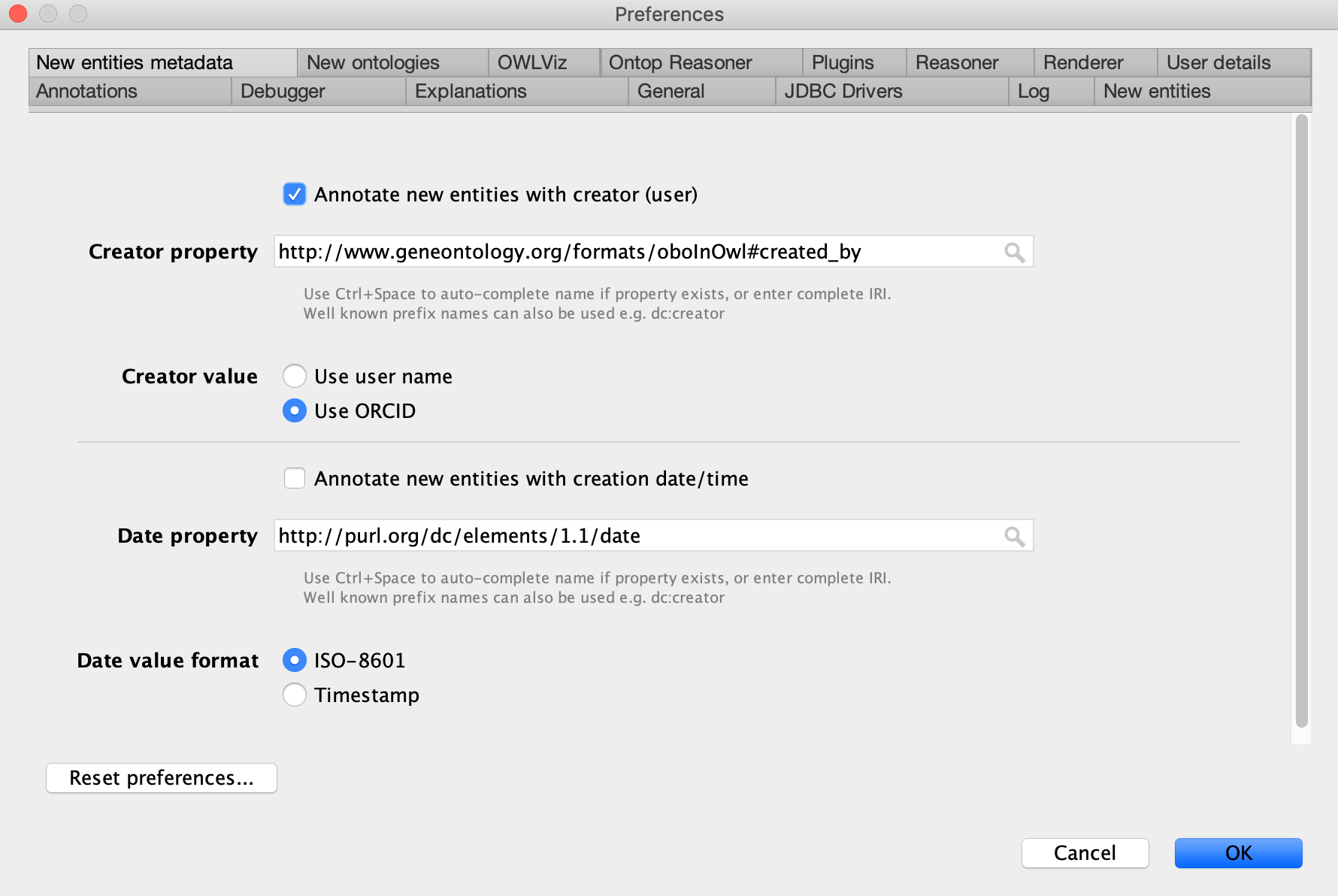
Setting username and auto-adding creation date
- In the Protege menu, go to
Preferences>New Entities Metadatatab - Check
Annotate new entities with creator (user)box Creator propertyAdd http://www.geneontology.org/formats/oboInOwl#created_byCreator valueSelect Use ORCIDDate propertyhttp://purl.org/dc/elements/1.1/dateDate value formatSelect ISO-8601